Start with the photograph you want
The exposure triangle describes three camera settings that influence the brightness of a photograph: aperture, shutter speed and ISO. They also affect how the image looks in ways that brightness alone cannot describe. Aperture changes how much of a scene appears sharp from front to back. Shutter speed changes how movement is recorded. ISO changes how brightly the camera renders the light it has captured and can affect visible noise.
A useful way to approach the triangle is to stop looking for one universally correct combination. Instead, decide what matters most in the picture. Should a portrait have a soft background? Should a moving hand appear sharp? Can you tolerate a little noise to photograph a dim workshop without a tripod? Your answers tell you which setting to choose first and which ones can bend.
Aperture: control light and depth of field
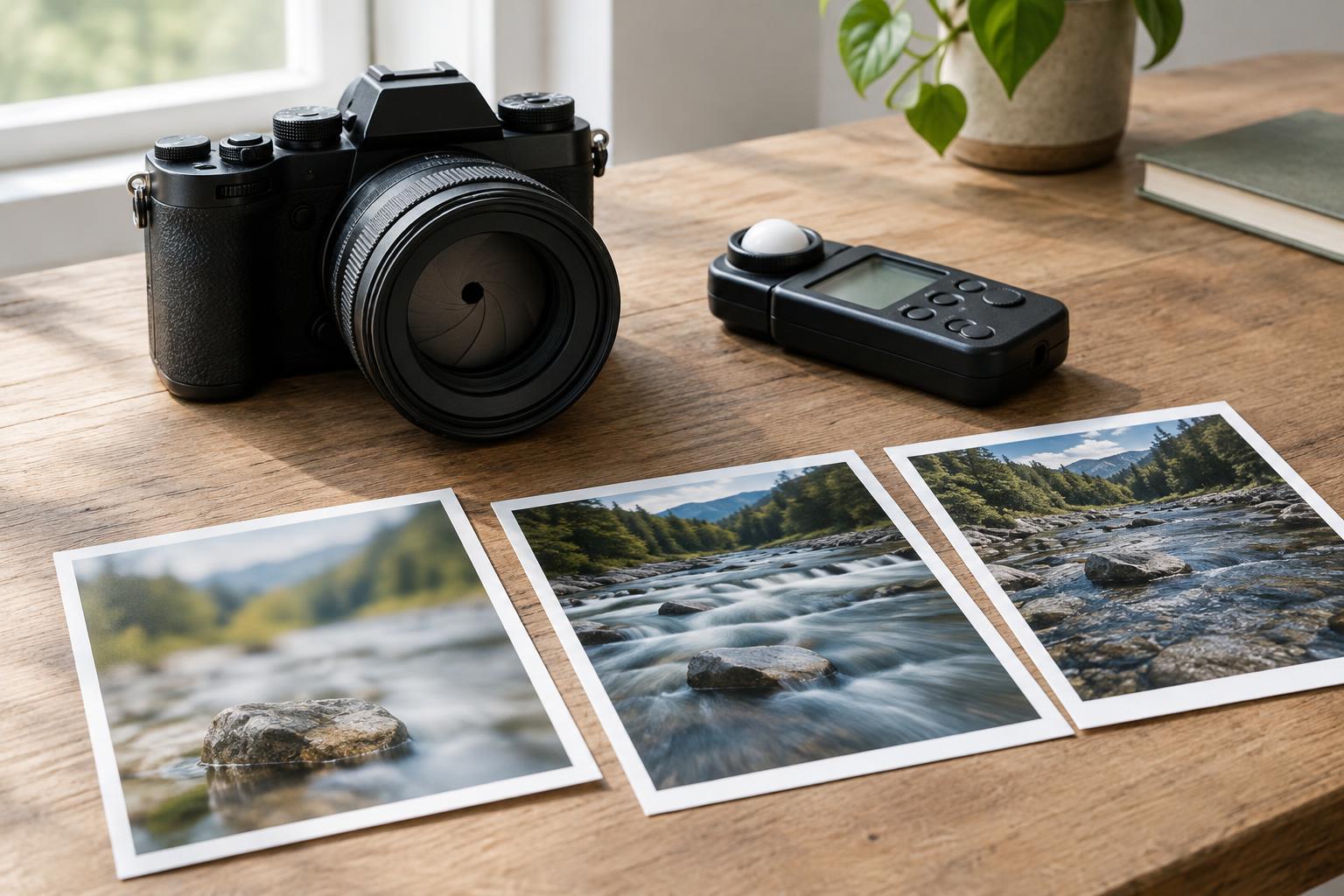
Aperture is the opening in the lens through which light passes. It is written as an f-number, such as f/2.8 or f/8. A smaller f-number means a wider opening and, with other settings unchanged, a brighter exposure. It also tends to produce a shallower depth of field: a smaller range of distances appears acceptably sharp. A larger f-number narrows the opening, admits less light and generally increases depth of field.
For a close-up of an object against a busy studio background, a wide aperture can help separate the subject from its surroundings. For a tabletop arrangement where several objects sit at different distances, a narrower aperture may keep more of them clear. Depth of field also depends on factors such as subject distance and focal length, so check the result rather than relying on the f-number alone. If you narrow the aperture and the image becomes too dark, you will need a slower shutter speed, a higher ISO or more light.
Shutter speed: decide what motion should look like
Shutter speed is how long the camera records light for each photograph. A fast speed, such as 1/500 second, gives movement less time to blur. A slower speed, such as 1/30 second, lets in light for longer but increases the chance of blur from a moving subject or an unsteady camera. Neither result is inherently better: a blurred passing figure may communicate activity, while a crisp gesture may make a process easier to understand.
Choose shutter speed with both the subject and the camera in mind. A person standing still usually needs less speed than someone turning quickly during a workshop. Camera or lens stabilization can help reduce blur caused by camera shake, but it cannot freeze a moving person. If a slow speed is important to your idea, brace the camera or use a tripod and make a test frame. If a sharp moving subject matters more, use a faster speed and make up the lost brightness elsewhere.
ISO: adjust brightness, with a trade-off
ISO is commonly described as the camera’s sensitivity setting. In practical use, raising ISO makes the recorded image brighter at the same aperture and shutter speed; it does not bring more light into the lens. A higher setting can help when you have already chosen the aperture and shutter speed the picture needs, but available light is limited. The trade-off is that noise may become more visible and fine detail or tonal range may be reduced, depending on the camera and conditions.
Start with a relatively low ISO when there is enough light, then raise it as needed. Do not let a desire for the lowest possible ISO force a shutter speed that blurs an important subject. A slightly noisy photograph with a clear moment may serve a project better than a smooth but unusably blurred one. Check the image at a useful viewing size: noise that stands out when magnified may matter little in the final layout.
Make the trade-offs one step at a time
Settings can be exchanged in predictable steps called stops. Moving from f/4 to f/2.8 roughly doubles the light entering the lens. Moving from 1/125 to 1/250 second halves the time light is recorded. Together, those changes produce roughly the same amount of light reaching the sensor, but the second combination gives a shallower depth of field and records less motion blur. Doubling ISO from 400 to 800 brightens the rendered image by about one stop without increasing the light the sensor receives.
Try a repeatable sequence on your next shoot. First, decide whether depth of field or motion is the priority. Set the corresponding aperture or shutter speed, then choose the other setting to support it. Adjust ISO if the image is still too dark, and review a test photograph for brightness, sharpness where it matters and unwanted blur. A camera meter or histogram can guide you, but a bright window or dark backdrop may call for an adjustment based on the subject.
For example, when photographing a designer sketching at a desk, you might begin with a shutter speed fast enough to keep the hand reasonably clear, then choose an aperture that holds the sketch and tools in focus. If the room is dim, raise ISO rather than slowing the shutter until the hand blurs. Make one change at a time, take another frame and compare. The triangle becomes easier to use when each setting answers a specific visual question.