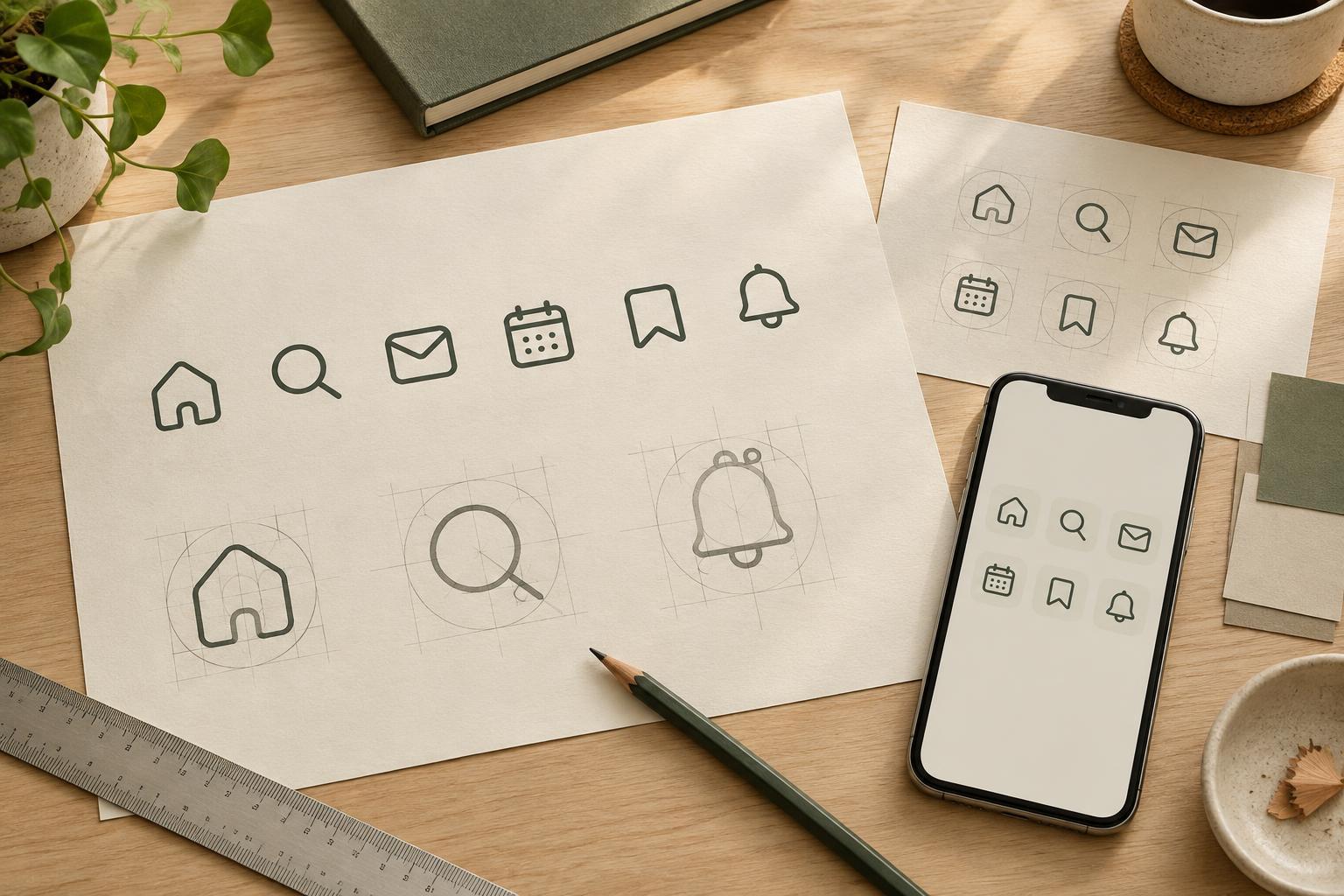
Start with the job the icons need to do
Before drawing, list the concepts the set must represent and where the icons will appear. An icon beside a navigation label has a different job from an icon used on its own in a toolbar. Note the smallest expected display size, whether labels will accompany the icons and whether the set must work in one colour. These constraints help you decide how much detail each drawing can carry.
Choose a small group of varied concepts for the first round: perhaps search, calendar, message, upload and settings. Together, they expose different design problems, including circles, straight edges, open shapes and small interior details. If these icons can sit comfortably together, you have a stronger starting point for the rest of the set than you would get by perfecting one icon in isolation.
Establish a visual grammar
Give every icon the same working area, such as a square artboard, and define a smaller area in which most of the drawing should sit. Then make a few deliberate choices: outlined or filled forms, stroke weight, end caps, corner style, typical gaps and the level of detail. A simple rule might be that openings must remain clearly visible at the smallest intended size. The aim is not to make every icon geometrically identical; it is to make their differences feel intentional.
Decide which features are part of the family and which can change to clarify a concept. A magnifying glass may need a round bowl and diagonal handle, while a calendar benefits from a rectangular body. They can still share line weight, corner softness and a similar sense of visual density. Write down your initial rules, but treat them as a working guide: a rule that makes several icons harder to understand may need revising.
Balance by eye, not just by measurement
Equal dimensions do not always produce equal visual weight. A circular icon may look smaller than a square one placed in the same bounds; a diagonal stroke may appear lighter than a vertical stroke of the same width. Compare icons side by side at their intended size. You may need to let a circle extend slightly farther, shorten a heavy handle or open a tight gap. Make these adjustments while keeping the underlying style recognisable.
Pay particular attention to negative space. If one icon contains several tiny enclosed areas and its neighbours are mostly open, it may look darker or busier. Remove details that do not help identify the object. For example, a message icon might need only a speech bubble and a clear tail, not lines suggesting text inside it. Simpler forms are often easier to match across a growing set, provided they remain distinct from one another.
Test the set in the interface
Place the draft icons in a realistic row, menu or card layout rather than judging them only as enlarged artwork. View them at the sizes and on the backgrounds where they are likely to be used. Check whether small gaps close up, whether outlines remain legible and whether any two icons are easy to confuse. If colour is used to distinguish states, also check that the shape or surrounding label provides a cue when colour is unavailable.
Try a quick recognition exercise with someone who did not draw the icons. Show each symbol in its intended context and ask what action or idea they expect it to represent. A consistent style cannot rescue an unclear metaphor: an unfamiliar symbol may need a label or a different drawing. Record the points of confusion and revise the icons together, since changing one symbol’s detail or weight can affect the balance of the group.
Document decisions before the set grows
Once the first icons work together, make a compact reference sheet. Include the working area, a few approved examples and notes on strokes, corners, spacing and permissible exceptions. Show at least one difficult case, such as an icon with a diagonal element, so the guide explains how to make decisions rather than merely listing measurements. Keep names and export settings consistent so collaborators can find and use the right files.
When adding a new icon, compare it with the full set before calling it finished. Ask whether it reads clearly, has a similar visual weight and follows the shared grammar without forcing an awkward shape. A family resemblance comes from repeating the choices that matter while allowing each symbol enough freedom to communicate its own meaning.