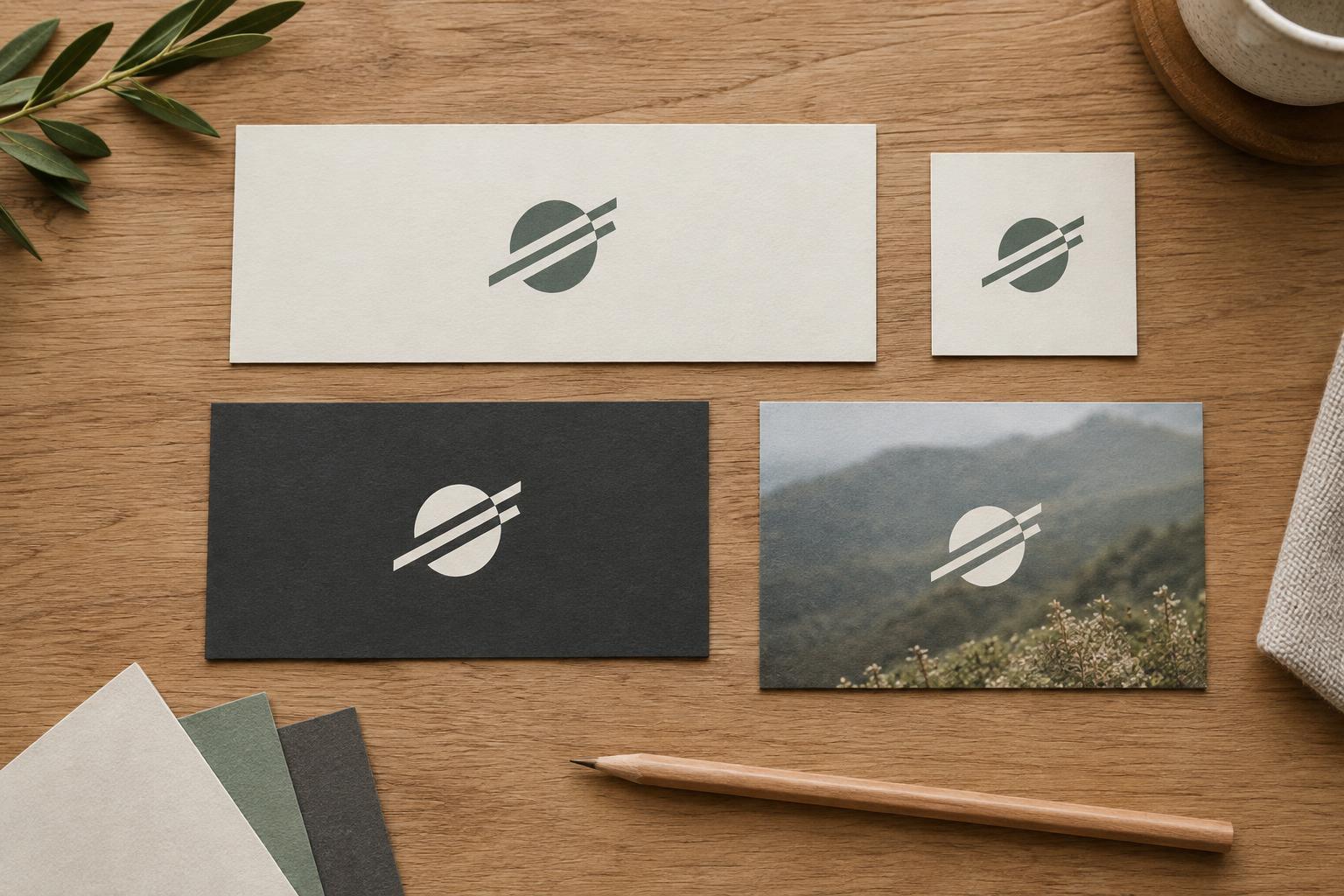
Start with the places the logo needs to live
A logo does not need a different design for every placement. It needs a small set of related versions that remain recognizable when the available space, background or output format changes. Before drawing variations, list the places your logo will appear: a website header, social profile, presentation slide, packaging label, photograph or printed card. Add the approximate shape and scale of each space. This gives you a reason for every variation you create.
Place your current logo into a few rough layouts at realistic sizes. Do not resize the page to make the logo look good; keep the surrounding content in view. Notice where the name becomes hard to read, where fine details disappear and where the logo needs too much empty space to fit. These observations help you decide whether you need a compact arrangement, a simplified mark or merely a different color version.
Build a small family, not a collection of unrelated logos
Begin with a primary version suited to its most common placement. For a name paired with a symbol, that might be a horizontal lockup for a website header. A stacked version can serve narrower spaces by placing the symbol above the name. A symbol-only version may work for a profile image or favicon, but only if the symbol is distinctive enough to stand on its own. If it is not, a short wordmark or initial may be clearer.
Keep the defining features consistent across versions: letterforms, symbol shape, spacing logic and overall character. Rearranging existing elements is usually more useful than inventing a new treatment for every format. Check each version at its intended size rather than assuming a scaled-down primary logo will work. If a small version needs fewer details or heavier lines, make that a deliberate variation and compare it with the rest of the family.
Set a practical limit on the number of approved versions. For example, a primary lockup, a compact lockup and a small-space mark may cover most layouts. Additional versions should solve a repeated problem, not simply offer more choices. Fewer, clearly named options make it easier for a small team to use the identity consistently.
Plan for light, dark and busy backgrounds
A logo needs enough contrast with its surroundings to be legible. Prepare a dark version for light backgrounds and a light version for dark backgrounds. If brand colors are part of the logo, check them on the actual surfaces where they will appear; a color that looks strong on white may recede against a tinted page or photograph. A single-color version is also useful when printing or production limits rule out the full palette.
Photographs require particular care because the background can change beneath different parts of the logo. Try placing the logo over a quiet area of the image first. If that is not possible, a consistent solid panel or subtle overlay can provide a more reliable surface. Avoid adding an outline, glow or shadow as an automatic fix: these effects can make the mark look different across applications and may still fail on complex images.
Test the light and dark versions against several realistic examples, not just ideal mockups. Include a pale image, a dark image and one with mixed tones. If none offers a dependable placement, treat the logo and its background as one layout decision: move the logo, crop the image differently or reserve a clear area for it.
Check size, spacing and readability in context
Open your variations at the sizes people will actually see. A version that looks polished on a large artboard may be unreadable in a small navigation bar. Look closely at thin strokes, small gaps and any tagline. A tagline that cannot be read comfortably should usually be omitted from small placements rather than compressed. Test both on screen and in a simple print proof if print use matters to the project.
Give each variation enough clear space to remain distinct from nearby text, images and page edges. You can define this space using a repeatable part of the mark, such as the height of a letter, rather than relying on a different measurement for every layout. Also consider minimum usable sizes, but base those on what you see in your own tests. The goal is not to make every variation fill its container; it is to help the logo remain recognizable within the overall composition.
Make the right choice easy for other people
Put the approved versions on a single reference page with short usage notes. Show which one to use in a wide space, a narrow space and a very small space, along with examples on light and dark backgrounds. Include one or two common mistakes, such as stretching the mark, recoloring it to match a photograph or placing the dark version on a dark surface. Concrete examples are easier to follow than a long list of restrictions.
Export files with names that describe their use, such as primary-dark, compact-light and symbol-single-color. Keep an editable master and provide formats appropriate to the intended applications. When handing files to collaborators, ask them to try one real layout using the guide. If they struggle to choose a version, the system may need a clearer rule rather than another logo variation.