What a morphological matrix does
A morphological matrix is a way to explore possibilities systematically. Instead of asking, “What should we make?” you break a project into a few decisions, list several options for each one, then combine options to form candidate ideas. The method works well for visual identity, campaign concepts, photography briefs and workshop activities—especially when a team keeps returning to the same familiar solution.
Imagine you are developing a poster system for a neighborhood art studio. You might need to decide how the posters use imagery, type, color and participation. A first sketch could make all those decisions at once, leaving you unsure which part is worth changing. A matrix separates them so you can try, for example, a quiet color palette with energetic lettering, or a bold palette with images made by workshop participants. The combinations are starting points, not finished designs.
Frame the challenge before listing options
Write a short prompt that names the audience, purpose and practical limits. For the studio posters, it might be: “Create a recognizable poster system that invites local residents to try a creative workshop and can be updated for different sessions.” Note constraints such as print size, production time and available images separately. A matrix is most useful when it explores choices you can actually make, rather than treating a fixed requirement as an open question.
Next, identify four to six dimensions that would meaningfully change the result. For this poster system, they could be image source, typography, color approach, message structure and way to invite participation. Keep the dimensions distinct. “Bright colors” and “playful colors” are too similar to be separate dimensions; both belong under color approach. If every combination feels nearly identical, the dimensions may be too narrow.
Build a matrix with varied, usable options
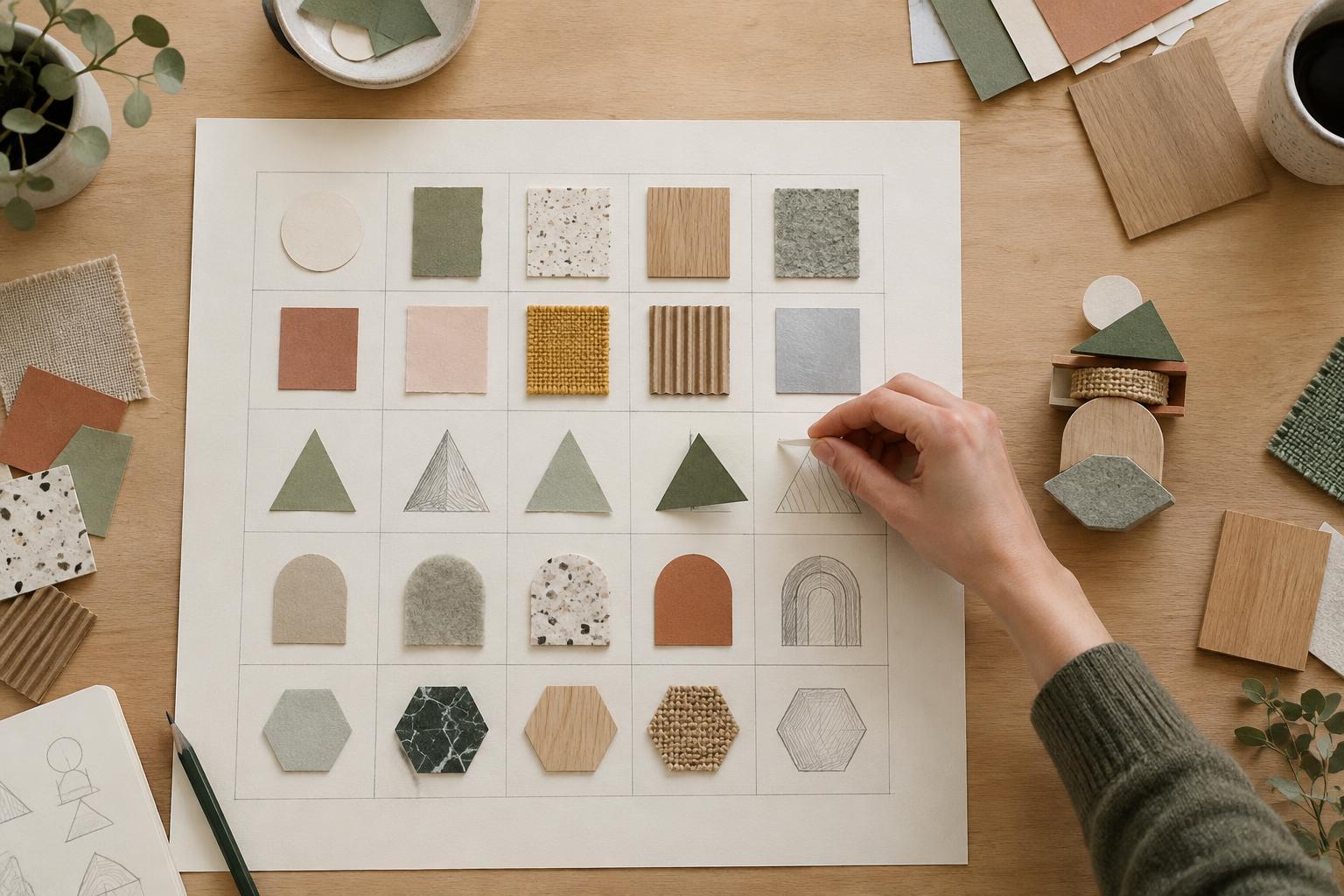
Place each dimension at the top of a column and list three or four options beneath it. You can do this on paper, with sticky notes or in a spreadsheet. Under image source, try participant-made marks, photographs of materials, simple geometric shapes and no image. Under typography, try a single large question, compact practical information, expressive lettering and a clear type hierarchy. Color approaches might include one accent color, changing colors by workshop type or a restricted two-color palette.
Aim for options that describe a choice rather than judge its quality. “Good photography” gives you nothing to combine; “close-up photographs of tools in use” does. Include at least one unexpected but plausible option in each column. If you are working with others, ask people to add options individually before discussing them together. That gives quieter suggestions room to appear and makes it easier to notice when several people have assumed the same solution.
Combine options, then look for useful tension
Choose one option from each column to create a concept. You can select deliberately, draw choices at random or ask each team member to build a different combination. For example: photographs of materials, expressive lettering, one accent color, a question-led headline and a tear-off invitation to attend. Give the combination a short working name and describe what a viewer would encounter. Repeat until you have several distinct concepts rather than minor variations of one poster.
Not every combination will make sense, and that is useful information. A restrained image approach paired with a loud headline might create an interesting contrast; an elaborate participatory element might be impractical for a quick print run. Before rejecting a surprising pairing, ask whether changing one element would make it workable. Also watch for dependencies: if a concept relies on participant-made images, you need a plan for collecting them. The matrix reveals opportunities, but it does not remove the need for production judgment.
Turn promising combinations into small tests
Pick two or three combinations that serve the brief in different ways. Make rough versions at the same level of detail: quick layouts, sample headlines or a few photographic references. Compare them against the original prompt. Can someone understand the invitation? Could the team update the system for another workshop? Does it fit the time and materials available? These questions are more useful than voting only for the most attractive sketch.
Record which choices made each concept distinctive. If a test falls short, swap one option at a time—perhaps keep the image and type approach but change the message structure. This makes revisions easier to discuss because the team can name the decision it is reconsidering. Save the matrix alongside the sketches. It becomes a record of explored directions and a practical tool to return to when the project needs a fresh variation.